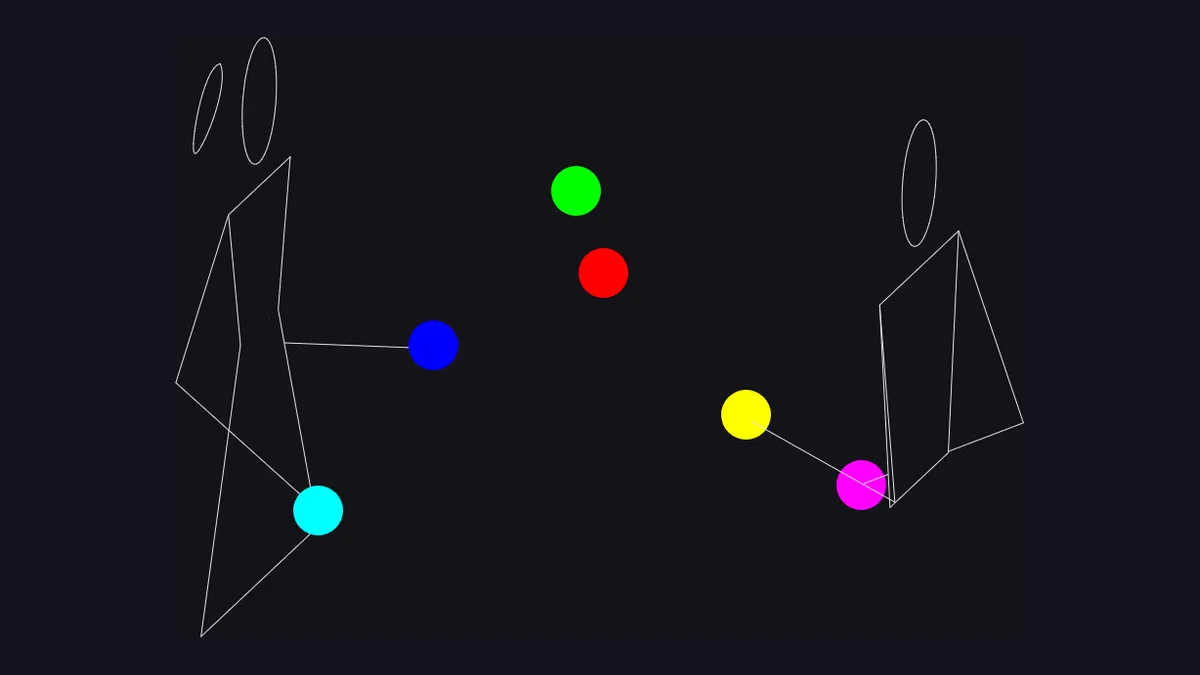
The animations across this site run on Juggling Lab, an open-source siteswap animator that has been in development since 1997. As the project puts it:
Juggling Lab is an application for creating and animating juggling patterns. Its main goals are to help people learn juggling patterns, and to assist in inventing new ones.
jugglinglab.org
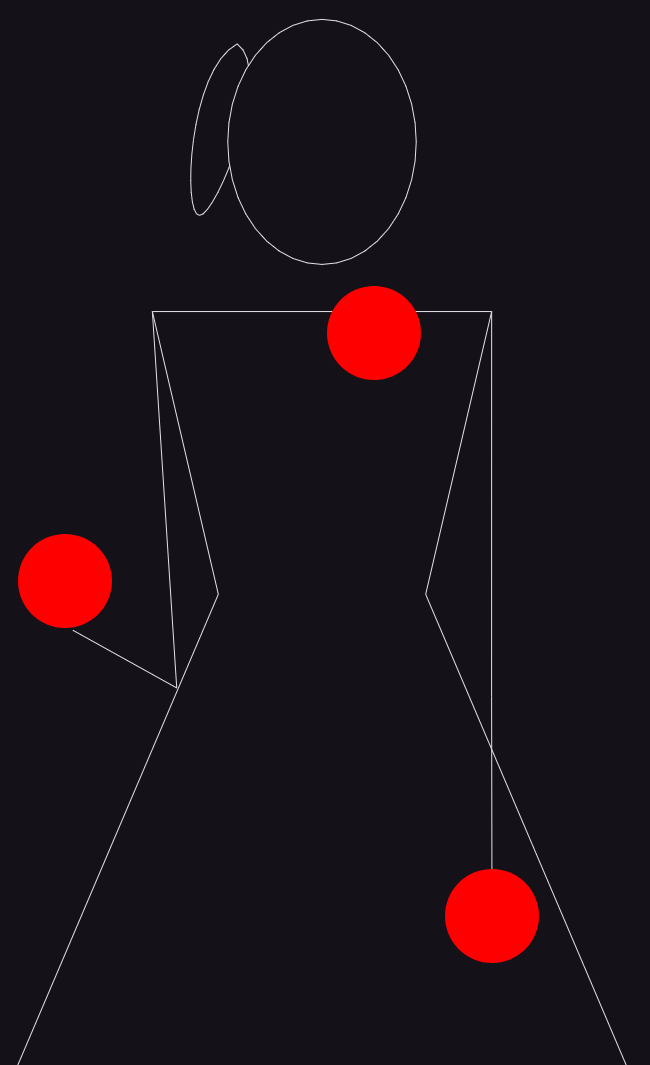
For most of that time it drew exactly one figure: a classic stick figure. Now it can draw more than one. Juggling Lab supports switchable juggler avatars - alongside the original figure there is a female figure with a ponytail and a dress, credited on the project’s contributors list:
Linda Mohamed - Switchable juggler avatars, female avatar design
jugglinglab.org, contributors
The female figure, in any pattern
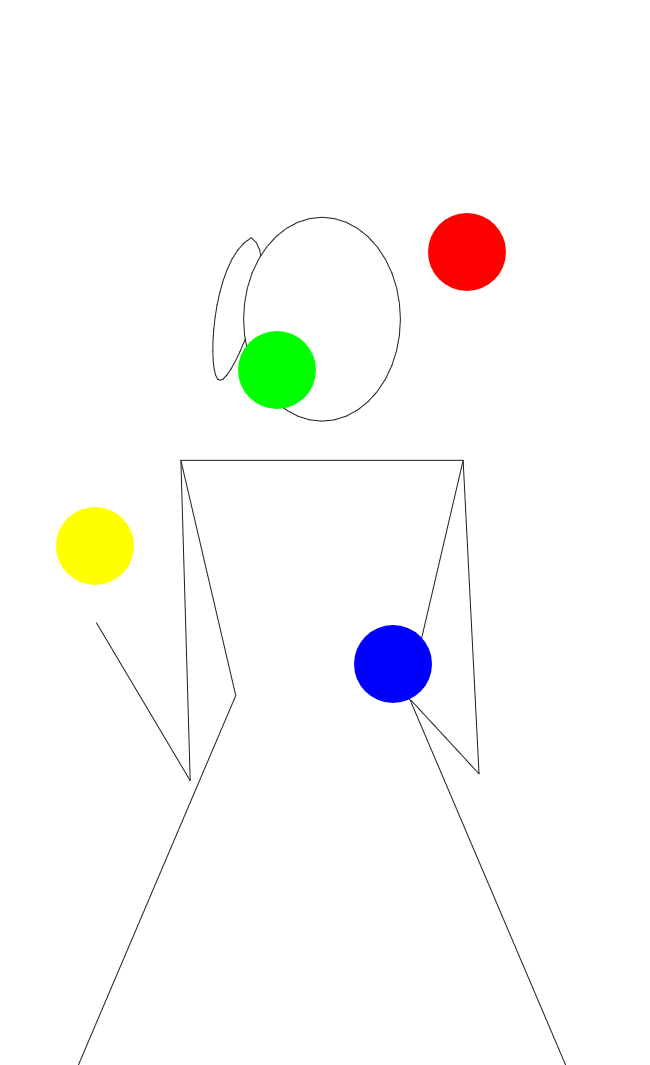
The figure is just a figure: it runs any pattern the animator can. Here it is on a plain three-ball cascade, in both the dark and light themes the app supports.
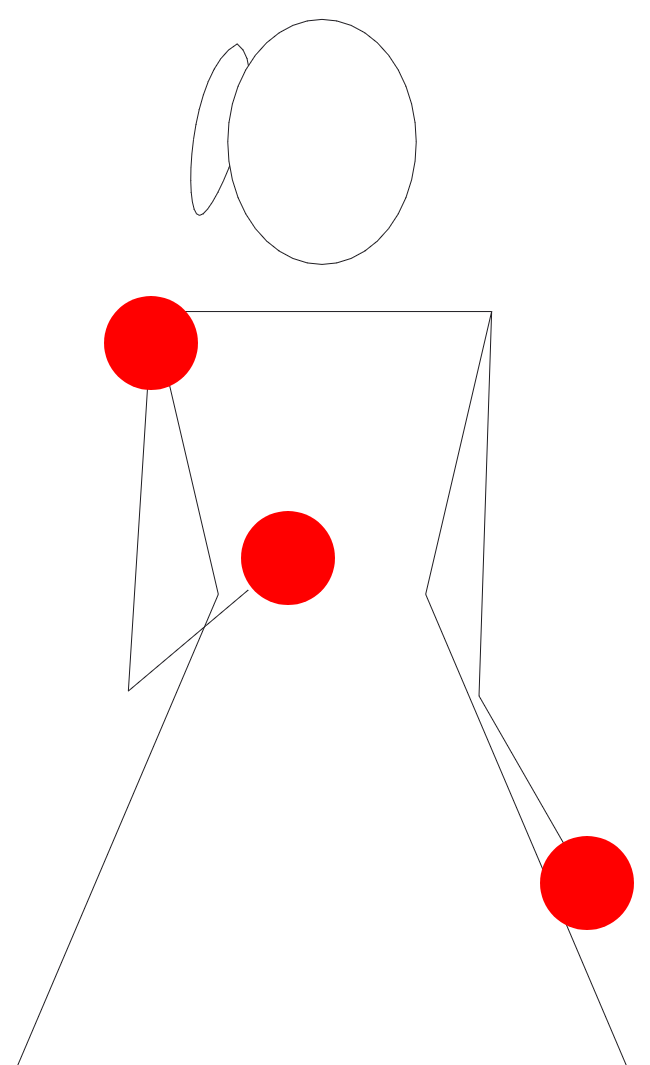
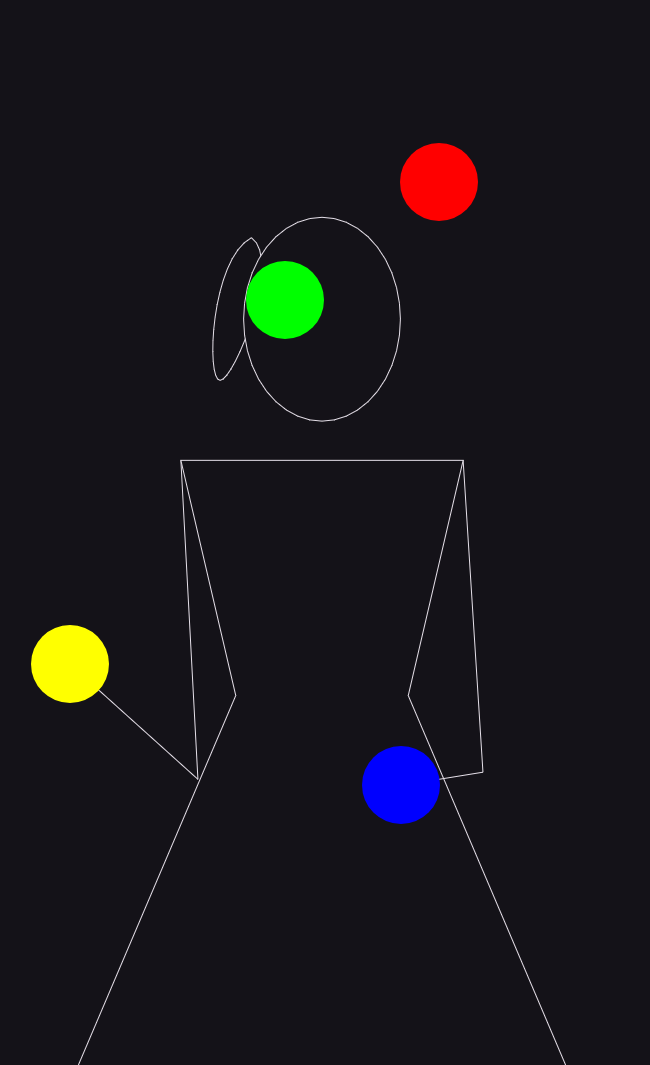
It holds up on harder patterns too. This is a synchronous four-ball pattern with custom hand movements and mixed colours.
Mixing figures in passing patterns
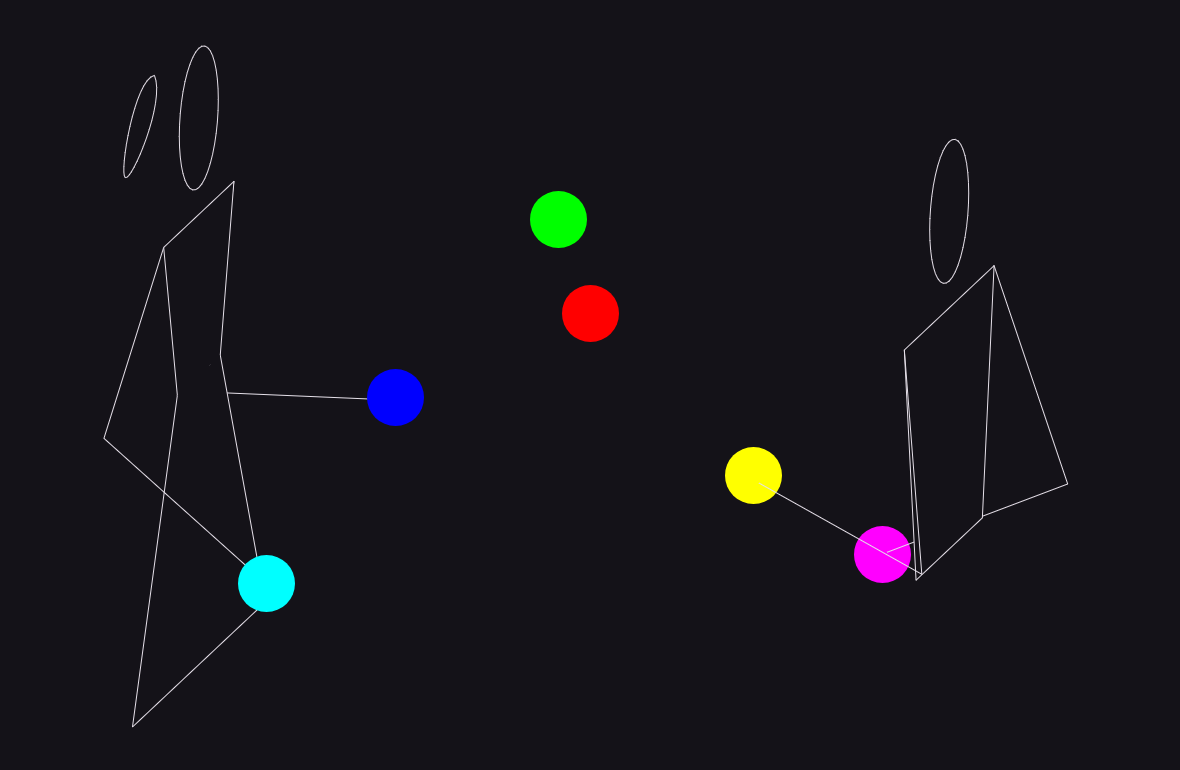
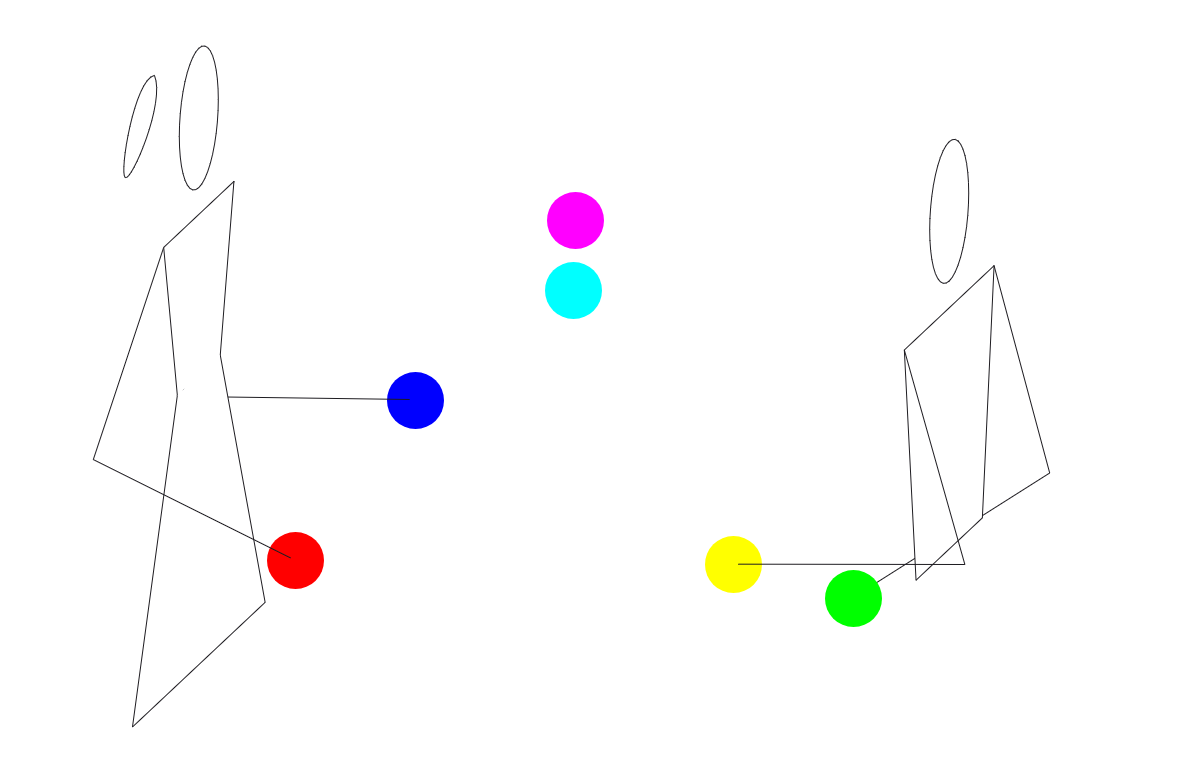
Because the figure is chosen per juggler, a passing pattern can mix them. Here is a two-person passing pattern with one female figure and one classic figure - the two are assigned by juggler number.
How to switch the figure
There are two ways: from the browser app, or straight from a URL.
In the browser app. Juggling Lab now runs in the browser, and the figure is a setting you choose there:
Juggling Lab now runs in your browser! Try it at http://jugglinglab.org/anim
jugglinglab.org
From a URL. Every animation option can be embedded in the address itself, so a figure choice is just one more parameter:
Pattern information can be embedded in the URL after the
jugglinglab.organimpart, exactly as with the old GIF server.
The parameter is avatar. Add it to any animation URL after the pattern:
# a three-ball cascade with the female figure
https://jugglinglab.org/anim?pattern=3;avatar=female

# the synchronous four-ball pattern above
https://jugglinglab.org/anim?pattern=(4x,4x);hands=(32,15)(10).(10)(32,15).;colors=mixed;avatar=female
For passing patterns, pass a comma-separated list and the figures are assigned by juggler number:
# left juggler female, right juggler classic
https://jugglinglab.org/anim?pattern=<3p|3p>;colors=mixed;avatar=female,classic
Every screenshot above was generated this way - the pattern and the figure both live in the URL.
About the patterns on this site
The animated GIFs on our patterns page were rendered before this feature landed, so they are the earlier version of the figure. We are keeping them for now so the difference is easy to see, and they will be regenerated from current Juggling Lab so the whole site shows the correct, up-to-date figure. One of those differences is worth its own short read: a rendering bug the new figure exposed, in Why the Juggler’s Arm Disappeared.
The point was never to replace the classic figure. It is good, and neutral, and it stays the default. The point was that there was nothing to choose between - not even a setting for it. A second figure changes that. Anyone can see themselves in the animation, or not, and either way the pattern still works.
Read next: Why the Juggler’s Arm Disappeared and You Cannot Add the Second Figure Until You Name the First. Both sit under Juggling and Technology.